Archive for the ‘Uncategorized’ Category.

Silverlight using MEF presentation at NoDeNUG.org

I updated my Silverlight and MEF presentation to the Silverlight4 and presented it at the Northern Delaware .NET User Group (NoDeNUG). Thanks to everyone that attended.

Downloads

I’ve uploaded the sample code and the presentation to my website. You can use the following links to download them:

Apache Stonehenge M2 Released

We’ve been working  hard to get the final components tested and working together and I am happy to announce that the Apache Stonehenge M2 has released, this is the second release as an Apache Incubator project. 

Stonehenge is a set of example applications for Service Oriented Architecture that spans languages and platforms and demonstrates best practice and interoperability.  M2 constituted of expanding the Stocktrader application to use claims-based authentication using an active and a passive STS for each implementation. We also upgraded the usage of the WS-* specs from the submitted versions to the ratified one. Extensive documentation work was done in parallel to describe the new feature set and simplify the installation and configuration process.  For more information about what’s included in this release see the ChangeLog

Download

For more information visit the Downloads and Documentation pages.   These pages will have information on downloading and installing the following components:

  • .NET Stocktrader Website
  • .NET Passive STS ASP.NET Website
  • .NET WCF Services (Config, Business, Order Processing and Active STS)
  • Stocktrader MS Sql Server Database
  • PHP Stocktrader and Services Websites (Config, Business and Order Processing)
  • Stocktrader MySql Database
  • Metro Services for Glassfish (Config, Business, Order Processing and Active STS)
  • WSO2 WSAS Service (Business and Order Processing)
  • WSO2 Identity Server (IS) (Active STS and Passive STS Website)

jQuery FormatCurrency v1.4 released

I have updated the jQuery FormatCurrency plugin to work with jQuery 1.4.2 and the latest version of qUnit with  127 unit tests.

Download

Release Notes

  • Fixed bug where “-” was deleted during Format As You Type.
  • Improved eventOnDecimalsEntered to only be triggered if necessary.
  • Improve Format As You Type demo by not calling formatCurrency on a SHIFT, CTRL, ALT, HOME or END key.
  • Added support for jQuery 1.4 and qUnit 1.4
  • Added fix and test for issue #19 “-.01″ was formatting as “-$NaN.01″

Extending the SampleData Strings in Expression Blend

I was working today on a WPF project in Expression Blend that used Sample Data heavily.  I needed to create my own custom sample data format, after searching a bit for a way to extend the Expression Sample Data string formats and not having any luck I decided to dig around on my own.  To my suprise this was extremely easy to accomplish so I wanted to post this so that others might be able to benefit from this.

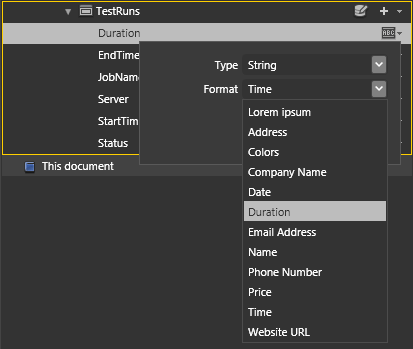
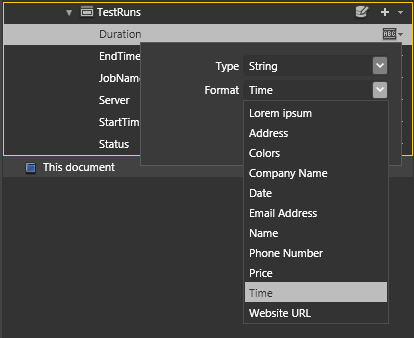
I was building a testing application and I wanted to create sample data for Duration (eg: 00:00:00.0135098).  The closest sample I found was Time, but that actually produced an AM/PM time (eg: 12:00:00 AM).

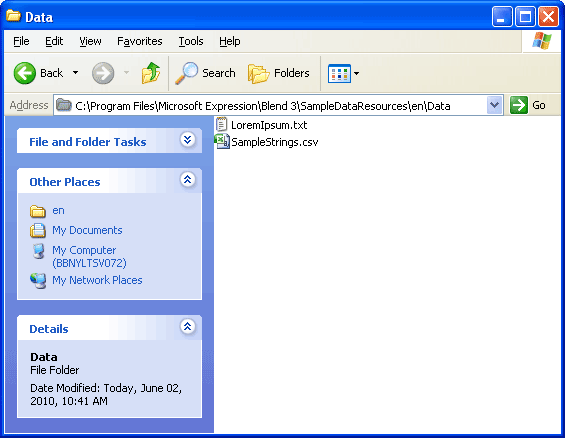
If you open up ‘C:\Program Files\Microsoft Expression\Blend 3\SampleDataResources\en’ on your computer you will see a Data and Images folder inside the Data folder is a CSV file called SampleStrings.csv. 

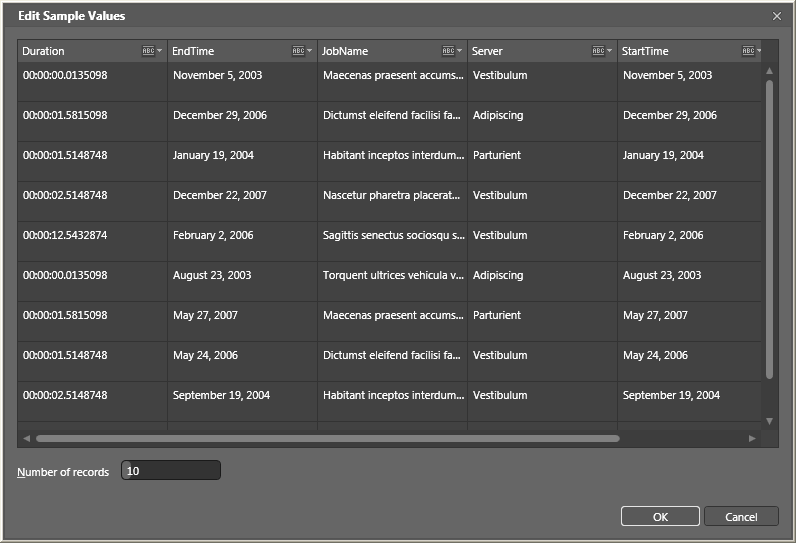
I created a backup first (as you should) and then opened the file in Excel.  From there I simply added my new field for Duration and saved the file.  After closing Expression Blend and restarting it I opened my sample data and found the new values that I added ready for my use.

In my scenario I had 10 rows of sample data, but I only entered 5 rows of data into the SampleStrings.csv file.  The data simple repeated just as I expected.

Thank you to the Expression Blend Team for creating such and easy extension model and I hope this helps someone else along the way.

Agile CampFire Event in New York City

We just finished up a what turned out to be a really nice Agile training event in New York City called the Agile CampFire.  After many days of preparation, and with some glimer of doubt about whether all our planning would pay off we began the event bright an early at 7am.

The event overall was a simple concept; we take a standard iteration in a an agile development envrionment (typically 2 weeks at a minimum) and condense it down so we can fit two iterations into a single day.  After some donuts and coffee Steve Bohlen gave a brief presentation to our 5 development teams that would set the stage for the day.  From there each team jumped right into an planning poker session where they estimated a series of user stories which they were expected to implement using Test Driven Design.

Each team got started developing right away and the enthusiasm was extremely high.  The teams consisted of 6 developers who were grouped into pairs and instructed to work using a technique called pair programming.  The teams all made quick work of the user stories with our winning team exceeding there anticipated velocity of 17 story points. 

We had a quick showcase, retrospective, and broke for lunch.  Afterwards we began our second iteration, where our teams warmed up to the process quickly.  We completed our second iteration and implemented some improvements that were recommended after the retrospectives from our first iteration.  After completing our second iteration, in a similar fashion, we announce our winning team, who completed an extraordinary 5,000 points worth of business value with unit test code coverage of 97.76%, well above what would could have possible anticipated. 

Overall I think the event was a great success, something I would definately consider doing again.  Thanks to all the people who made this event such a success, we have Rachel Appel, Daniel Berlin, Steve Bohlen, Alex Hung, Peter Laudati, and Erik Stepp, great work everyone.

My DotNetRocks RoadTrip Ride Along

This week was extremely busy, most memorable of all was a unique opportunity to travel with three people whom I consider to be celebraties. I’ve listened to the DotNetRocks podcast for many year, and I jumped at the opportunity to see them record live at the Visual Studio 2010 launch event in New York City.  Luckily for me I was selected as their ride along winner and the day that followed was something that I’ll remember for a long time.

Carl and Richard picked me up bright and early to head out on our jorney to Richmond, VA.  We had a long 6 hour drive ahead of us and with 12 shows under their belt I was amazed at the stamina and enthusiasm to hit the open road.

Richard Campbell outside the DNR RV

As we began our trip down the New Jersey Turnpike I spoke at length with Lawrence Ryan (announcer for Dot Net Rocks)  about the trials and tribulations of consulting.  At our first rest stop, Richard changed position from navigator to passenger and I was able to inundate him with questions about performance testing in relation to one of my current projects.  A topic which was inspired by Richard’s presentation the night before about the new load testing features in Visual Studio 2010.

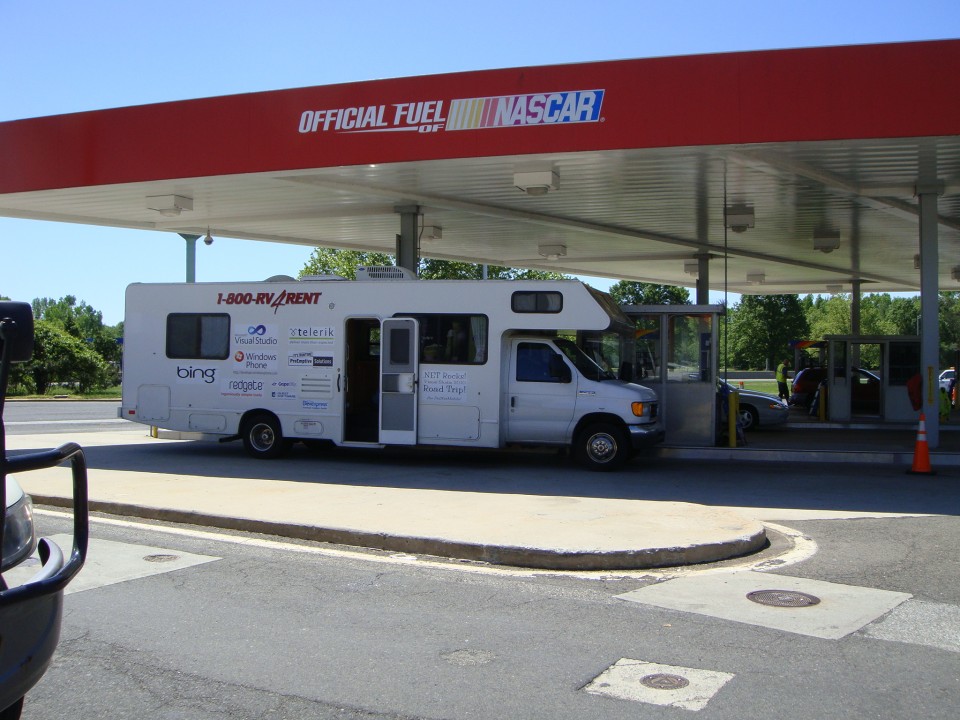
The RV at the NJTP Rest Stop

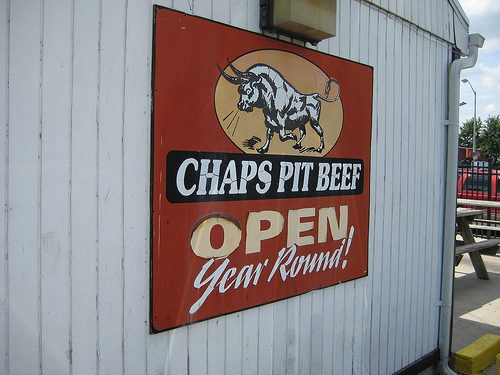
We stopped for lunch at a little BBQ spot in Baltimore after a recommendation from one of the DotNetRock’s fans who had been following us on twitter and the tracker application that was built specifically for this event using Siverlight and Bing Maps.  Although I enjoyed the food, I couldn’t help imagine the home cooked BBQ for which Richard is famous for.

After a full meal and a coma setting in we continued on our round-a-bout way through baltimore.  We passed by my hometown of Northern Virginia and straight down Interstate 95 (a trip I have taken many times in my life).  Along the way I had the opportunity to acquire recommendations from the experts about microphones and various other sound equipment, which I plan on using to produce screencasts in the future.  I was amazed to learn about the level of effort that goes into creating the DotNetRocks show twice every week.

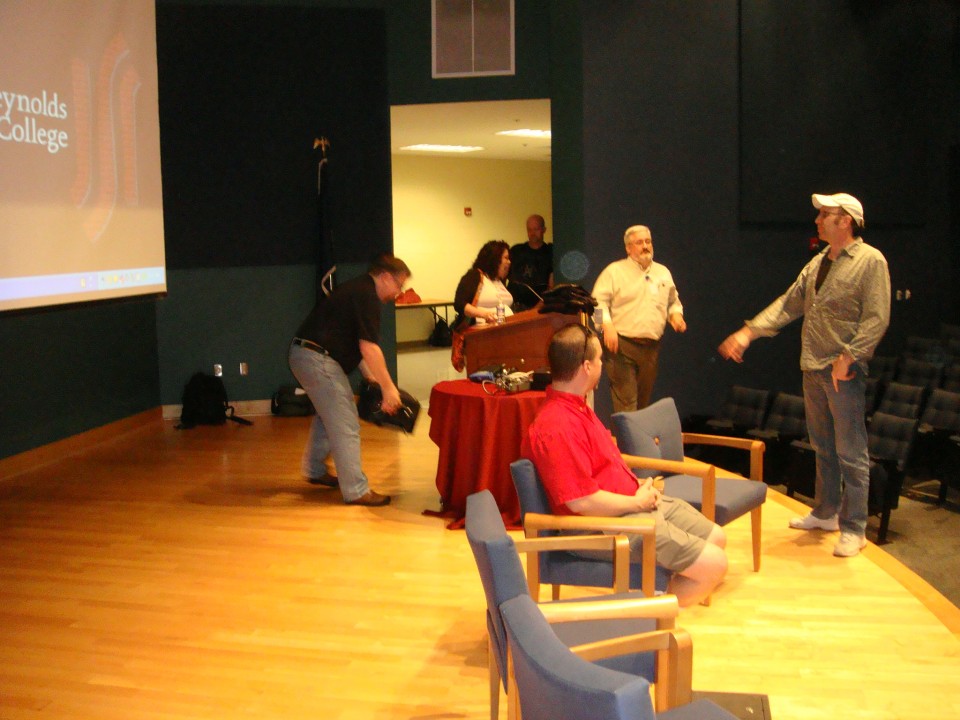
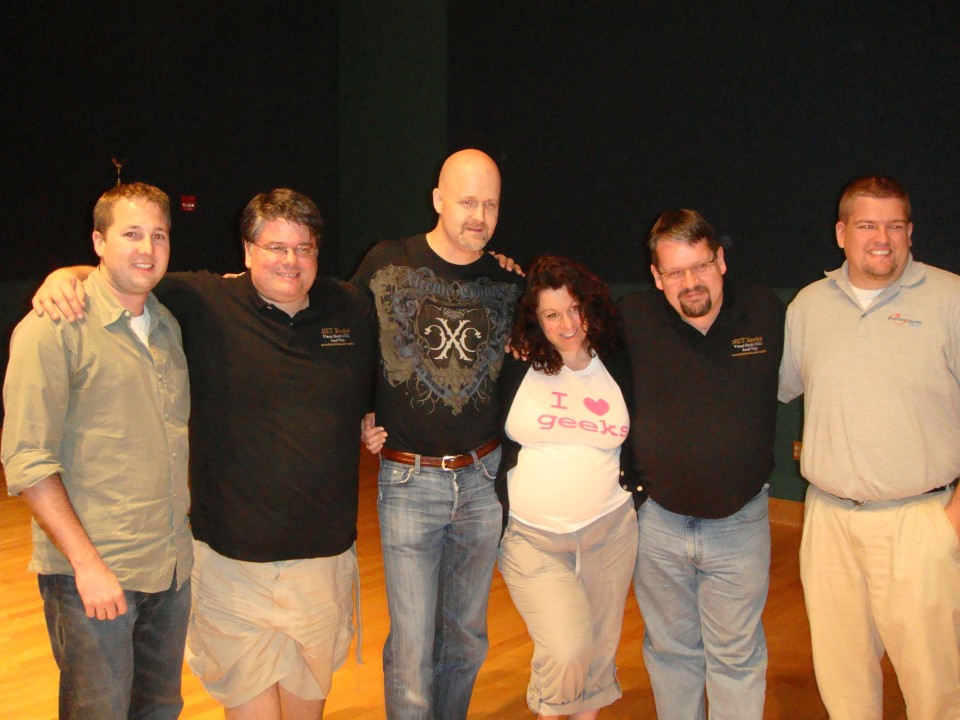
After a brief stop at our hotel to pickup our secret guests, I learned it was going to be a crazy night.  Tonight’s guests would reunite the infamous Monday’s crew.  Although the actual interview was relatively tame, I was able to communicate closely with everyone and get a feel for what life is (was) like on the Monday’s set. 

As my day 2 and Carl and Richard’s day 18 came to a close we wound down with dinner and drinks with crew and some community leaders in VA, while Lawrence (the unsung hero) stayed behind in the RV to edit the show recorded less than an hour earlier.

With my alarm set for a 5:30am and a truely amazing day behind me it was off to bed.  Thanks to everyone who made this day such an amazing experience, one I’m sure I will cherish for quite a while.

Building RIA Applications with jQuery and WCF

I finished my jQuery and WCF presentation at the NYC Code Camp. Thanks to all that attended.

Downloads

I’ve uploaded the sample code and the presentation to my website. You can use the following links to download them:

Updates

Since we had so many good questions, we didn’t have a chance to cover the delete feature. I’ve included this in the sample source code along with some code comments related to how it was created. Please feel free to post comments here if you have any questions.

Disclaimer

We briefly talked about the concept of RESTful web services. Please note that our sample is missing a few components of REST webservice (ie. using the DELETE method, and proper URI templating). For more information on building RESTful webservices see the slides and samples from my Alt.NET REST Presentation

Building Modular Silverlight Applications with MEF Presentation

I just finished my Silverlight and MEF presentation at the NYC Code Camp. Thanks to all that attended.

Downloads

I’ve uploaded the sample code and the presentation to my website. You can use the following links to download them:

jQuery FormatCurrency v1.2 released

Last night I noticed a few issues added to the jQuery FormatCurrency page. I was able to resolve all of these issues and push out a new v1.2 release of the plugin.

Download

Release Notes

  • Stored originalDecimals for reporting on the decimalsEntered trigger
  • Added format_as_you_type demo page (from Emmanuel Sambo)
  • Fixed issue #11 blank should equal blank
  • Fixed bug #12 and added unit test (negativeFormatDecimal) to support
  • Fixed bug #13 and added a check for a float value
  • Fixed bug #14 and added unit tests for en-IN which contains edge cases due to its Rs. symbol (Rs. 1,000.00)

New Committer Added

Additionaly, I’m happy to announce we’ve added a new committer to the team, Marco De Bortoli from Italy.  His contributions in bug reporting and fixing have already been valuable and we are looking forward to having him contribute to the futures.

Creation of the Futures Page

We’ve added a new Futures page to the Wiki.  This page will be used as a collaborative page to edit/comment on the future of the plugin.  The page can be found at http://code.google.com/p/jquery-formatcurrency/wiki/Futures.

Using JSONP with WCF and jQuery

In the new release of .NET 4, the WCF team has added support for JSONP. There are many resource out on the internet about the need for JSONP, if you are reading this article I’m assuming your familar with the concept of JSONP. Essentially, JSONP utilitzes the <script /> tag as a work around to the cross domain access limitations of web browsers. This new feature is exposed as an CrossDomainScriptAccessEnabled setting on the WebHttpBinding, and as such is configurable through code or through configuration.

Download

The full source code is available for download from my website

This code requires the latest download of .NET 4 Beta 2 with Visual Studio 2010

Example

In this example we are returning a list of sample customers. In a standard JSON service using the WebHttpBinding you would recieve this result:

http://localhost:65025/CustomersService.svc/GetCustomers

[{"Email":"bob@example.com","Name":"Bob"},
{"Email":"mark@example.com","Name":"Mark"},
{"Email":"john@example.com","Name":"John"}]

Now using the same service you can supply the optional callback parameter like this http://localhost:65025/CustomersService.svc/GetCustomers?callback=JsonpCallback, which would return the results as the first argument to a function call with a name equal to the one supplied in the query parameter.

JsonpCallback([{"Email":"bob@example.com","Name":"Bob"},
{"Email":"mark@example.com","Name":"Mark"},
{"Email":"john@example.com","Name":"John"}])

So, if you have a javascript function setup on the page, the function will be called successfully without violating the cross-site scripting exceptions.


function JsonpCallback(customers) {
     alert(cutomers.length);
}

WCF Service with CrossDomainScriptAccessEnabled

Creating the WCF Service with CrossDomainScriptAccessEnabled is the same as it would be for any other web enabled WCF service. In our example we are exposing a simple CustomersService

[ServiceContract]
[AspNetCompatibilityRequirements(RequirementsMode = AspNetCompatibilityRequirementsMode.Allowed)]
public class CustomersService
{
    [OperationContract]
    [WebGet(ResponseFormat = WebMessageFormat.Json)]
    public List GetCustomers()
    {
        return Customer.GetSampleData().ToList();
    }
}

The new JSONP feature is exposed via the WebHttpBinding. The configuration for the CustomersService would looks like this:

<system.serviceModel>
  <behaviors>
    <endpointBehaviors>
      <behavior name="webHttpBehavior">
        <webHttp />
      </behavior>
    </endpointBehaviors>
  </behaviors>
  <bindings>
    <webHttpBinding>
      <binding name="webHttpBindingWithJsonP" crossDomainScriptAccessEnabled="true" />
    </webHttpBinding>
  </bindings>
  <services>
    <service name="ServiceSite.CustomersService">
      <endpoint address="" binding="webHttpBinding"
                bindingConfiguration="webHttpBindingWithJsonP"
                contract="ServiceSite.CustomersService"
                behaviorConfiguration="webHttpBehavior"/>
    </service>
  </services>
</system.serviceModel>

Notice that we’ve created a new bindingConfiguration for webHttpBindingWithJsonP, in this new binding configuration we’ve set the new property of crossDomainScriptAccessEnabled to true. This enables the new callback parameter and under the covers attaches the JavascriptCallbackMessageInspector. I’ve choosen to explicitly setup my binding configuration, but it should be noted that .NET 4 has created default configuration features, a sample of this is available for download with the WCF Samples for .NET 4 Beta2.

Consuming JSONP with jQuery

Now, consuming this JSONP endpoint with jQuery couldn’t be easier. jQuery ships with an ajax convenience function called getJSON that accepts a url, data, and a callback function. In the url property you can provide a ? following a query parameter and the ajax function will replace it with a dynamic function to handle the JSONP callback. With that being said this is what the code to access the customers would look like.

// Get the JsonP data
$.getJSON('http://localhost:65025/CustomersService.svc/GetCustomers?callback=?', null, function (customers) {
    alert('Received ' + customers.length + ' Customers');
});

Conclusion

Many of the code samples above use an abridged version of the code in the sample, so for more detail you should download the source code above. Additionally this article and samples are based on the .NET 4 Beta 2 product. I’ll do my best to update the code and ensure everything is in order with the official release.